Amazon Kendra Configuration
CSM Configuration
Required Configuration Properties
Optional Configuration Properties
CSM Connection Settings
Configuration options for fine-tuning the Http connection parameters.
| Name | Description |
|---|---|
Concurrent Connections |
Maximum number of concurrent open connections. |
Requests Rate |
Maximum number of requests per second. |
Connect Timeout in Milliseconds |
Timeout of the connect request. |
Socket Timeout in Milliseconds |
Timeout of the socket connected to CSM. |
Request Timeout in Milliseconds |
Timeout of a request to CSM. |
Amazon Kendra Configuration
Instance Configuration
Configuration options related to specifying the target Kendra Index and Data Source including authentication/authorization settings.
| Name | Property Key | Description |
|---|---|---|
Index ID |
|
ID of the target index. It can be retrieved in your AWS management console under |
Region ID |
|
ID of the region where the index is deployed. One of us-east-1(N. Virginia), us-east-2(Ohio), us-west-2(Oregon), eu-west-1(Ireland), ca-central-1(Canada), ap-southeast-1(Singapore) or ap-southeast-2(Sydney) is available. |
Amazon Resource Name |
|
ARN of the IAM Service Role assigned to the index. It can be retrieved in your AWS management console under |
Data Source ID |
|
ID of the Custom Data Source Connector added to target index. All documents and groups processed by the connector will be attached to this data source. It can be retrieved in your AWS management console under |
Use System Credentials |
|
To authenticate against Amazon Kendra, you must provide your AWS Access Key and AWS Secret Access Key. If - Java System Properties - Environment Variables - Web Identity Token credentials from System or Environment Variables - Credentials Profile File at location - Credentials delivered through the Amazon EC2 container - Instance profile credentials delivered through the Amazon EC2 metadata service + image::2.0.x@amazon-kendra-backend:ROOT:kendra-use-system-credentials.png[Kendra Use System Credentials] |
Access Key |
|
If |
Secret Access Key |
|
Secret Key of the specified AWS account. The value will be stored encrypted by the connector. |
Assume Role |
|
Enable this option to fetch the security token from STS using the provided role. |
STS Assume Role Region |
|
Region ID for invoking the regional STS endpoint when requesting the service. |
STS Assume Role Amazon Resource Name |
|
ARN of the role which should be assumed by the configured role or account in the instance settings. |
STS Assume Role Session Name |
|
Arbitrary session name attached to the session established by the connector and STS for tracking the session. |
STS Assume Role Session Duration |
|
Time to live duration for a single session. |
Use Proxy |
|
If enabled, the connection to AWS and Kendra Service will be established through a HTTP/HTTPS proxy. |
Proxy Endpoint |
|
Target proxy URL including protocol, host and port. |
Proxy Authentication |
|
If enabled, the connector uses the specified credentials to authenticate towards proxy. |
Proxy Username |
|
Proxy authentication username. |
Proxy Password |
|
Proxy authentication password. The value will be stored encrypted by the connector. |
Content Processing Configuration (Optional)
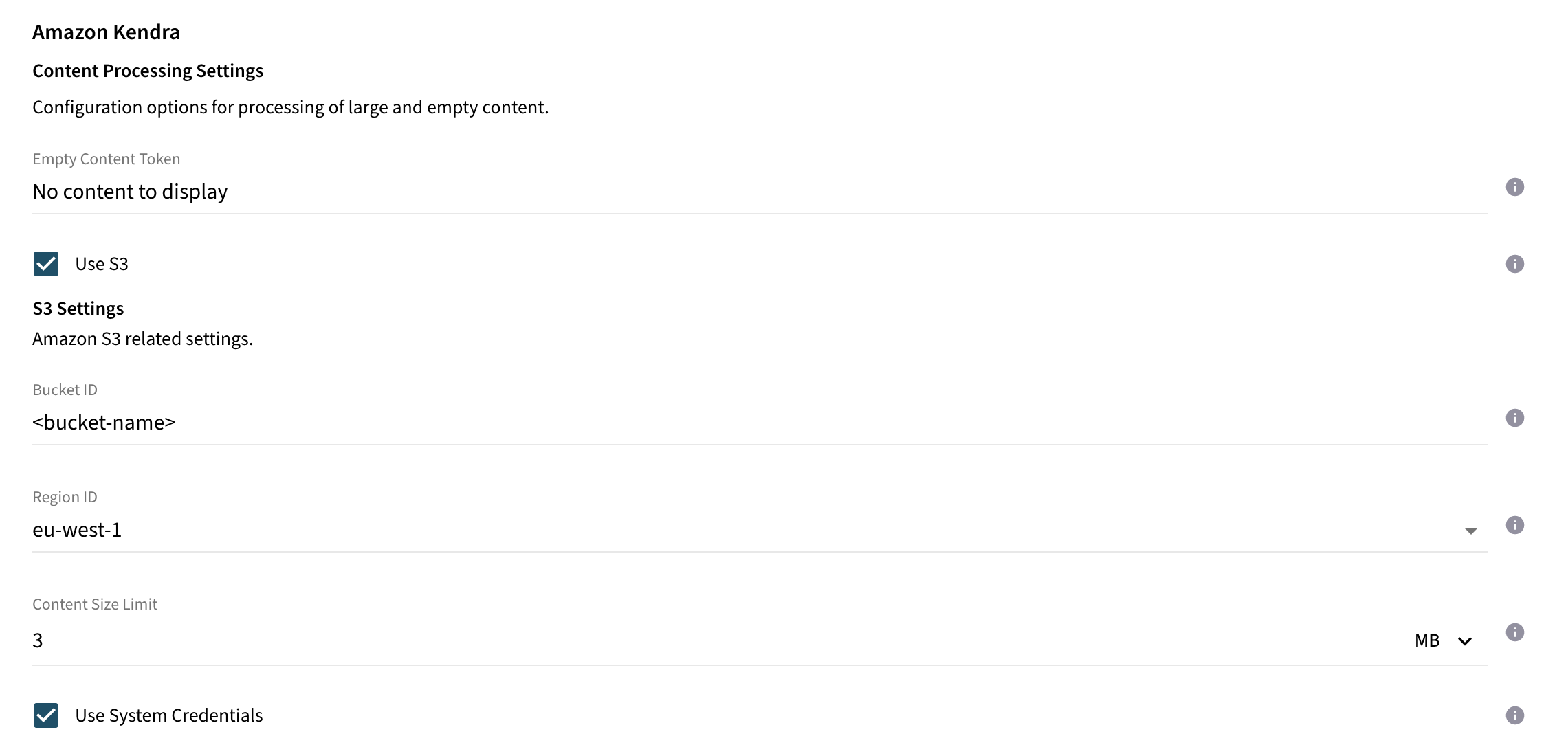
Documents with empty content or large content can be rejected by Kendra. In order to fine-tune the behaviour for the processing of these documents, consider to set one of the properties below.
| Name | Property Key | Description |
|---|---|---|
Empty Content Token |
|
Items with unsupported mime types (supported are: |
Use S3 |
|
If enabled, binary content of documents exceeding the content size limit will be processed to a S3 bucket. |
Content Size Limit |
|
All documents with content size exceeding this value will be processed to the configured S3 bucket. Else, documents are processed as inline documents including their content directly to Kendra index. If the S3 option is enabled, it is recommended to set the value below 5MB, as this is the limit defined by Kendra for inline documents. |
Bucket ID |
|
ID of the bucket. |
Region ID |
|
ID of the region where the bucket is deployed. One of us-east-1(N. Virginia), us-east-2(Ohio), us-west-2(Oregon), eu-west-1(Ireland), ca-central-1(Canada), ap-southeast-1(Singapore) or ap-southeast-2(Sydney) is available. |
Use System Credentials |
|
To authenticate against Amazon S3, you must provide your AWS Access Key and AWS Secret Access Key. If - Java System Properties - Environment Variables - Web Identity Token credentials from System or Environment Variables - Credentials Profile File at location - Credentials delivered through the Amazon EC2 container - Instance profile credentials delivered through the Amazon EC2 metadata service |
Access Key |
|
If |
Secret Access Key |
|
Secret Key of the specified AWS account. The value will be stored encrypted by the connector. |
Assume Role |
|
Enable this option to fetch the security token from STS using the provided role. |
STS Assume Role Region |
|
Region ID for invoking the regional STS endpoint when requesting the service. |
STS Assume Role Amazon Resource Name |
|
ARN of the role which should be assumed by the configured role or account in the instance settings. |
STS Assume Role Session Name |
|
Arbitrary session name attached to the session established by the connector and STS for tracking the session. |
STS Assume Role Session Duration |
|
Time to live duration for a single session. |
Use Proxy |
|
If enabled, the connection to AWS and S3 Service will be established through a HTTP/HTTPS proxy. |
Proxy Endpoint |
|
Target proxy URL including protocol, host and port. |
Proxy Authentication |
|
If enabled, the connector uses the specified credentials to authenticate towards proxy. |
Proxy Username |
|
Proxy authentication username. |
Proxy Password |
|
Proxy authentication password. The value will be stored encrypted by the connector. |
S3 Content Processing How-To
Use this section if you want the connector to upload large documents to S3 and only reference them in Kendra.
-
Required permissions The connector needs write access to the bucket. The Kendra index role needs
s3:GetObjectto read the uploaded objects. -
Example bucket policy (adjust
bucket-nameand role ARN)
{
  "Version": "2012-10-17",
  "Statement": [
    {
      "Sid": "AllowKendraRead",
      "Effect": "Allow",
      "Principal": {
        "AWS": "arn:aws:iam::123456789012:role/your-kendra-index-role"
      },
      "Action": ["s3:GetObject"],
      "Resource": "arn:aws:s3:::bucket-name/*"
    },
    {
      "Sid": "AllowConnectorWrite",
      "Effect": "Allow",
      "Principal": {
        "AWS": "arn:aws:iam::123456789012:role/your-connector-role"
      },
      "Action": ["s3:PutObject", "s3:AbortMultipartUpload"],
      "Resource": "arn:aws:s3:::bucket-name/*"
    }
  ]
}
-
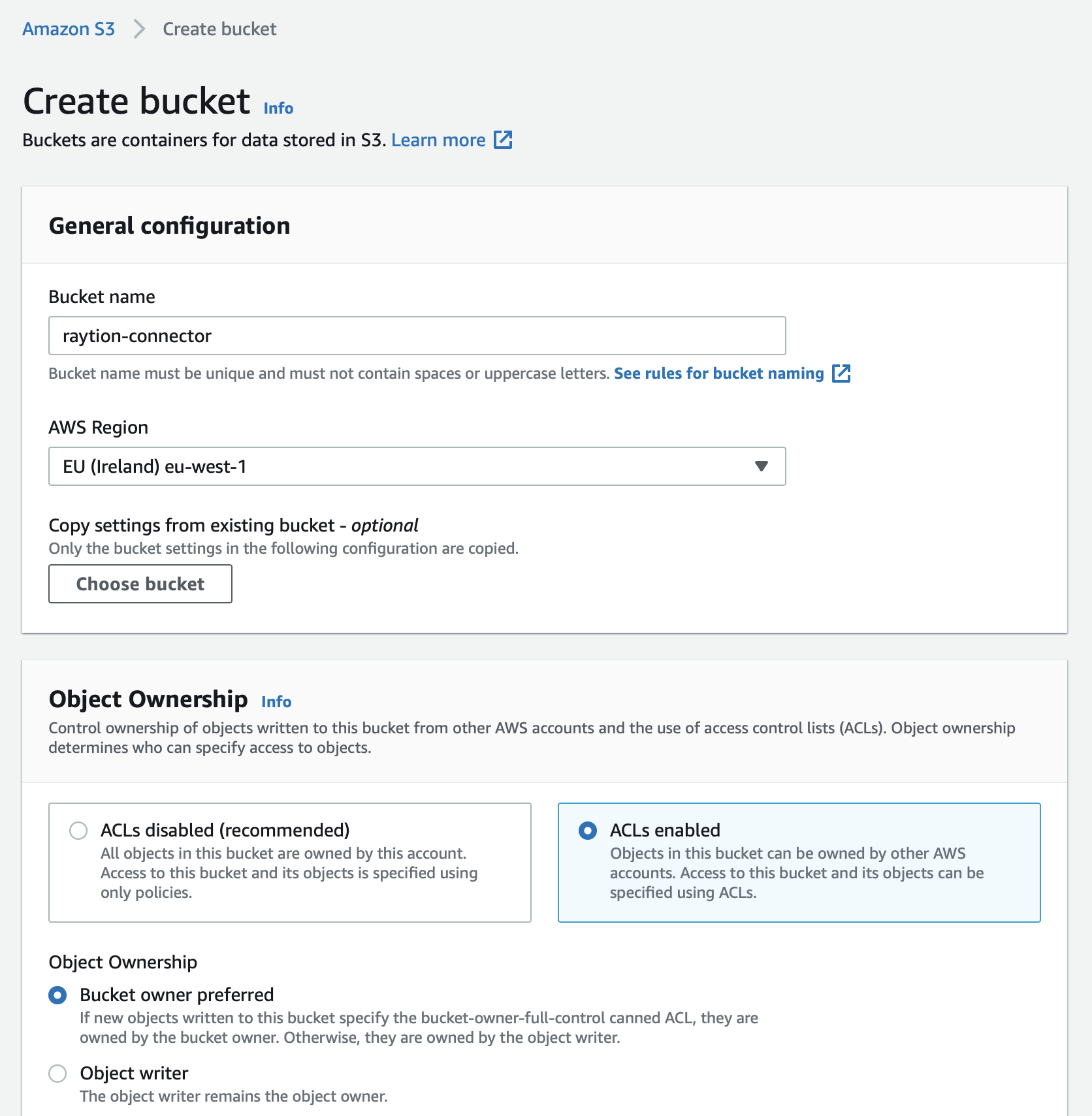
Create a bucket in the same AWS account or a trusted account.
-
Ensure the bucket allows object read access for the Kendra index role.
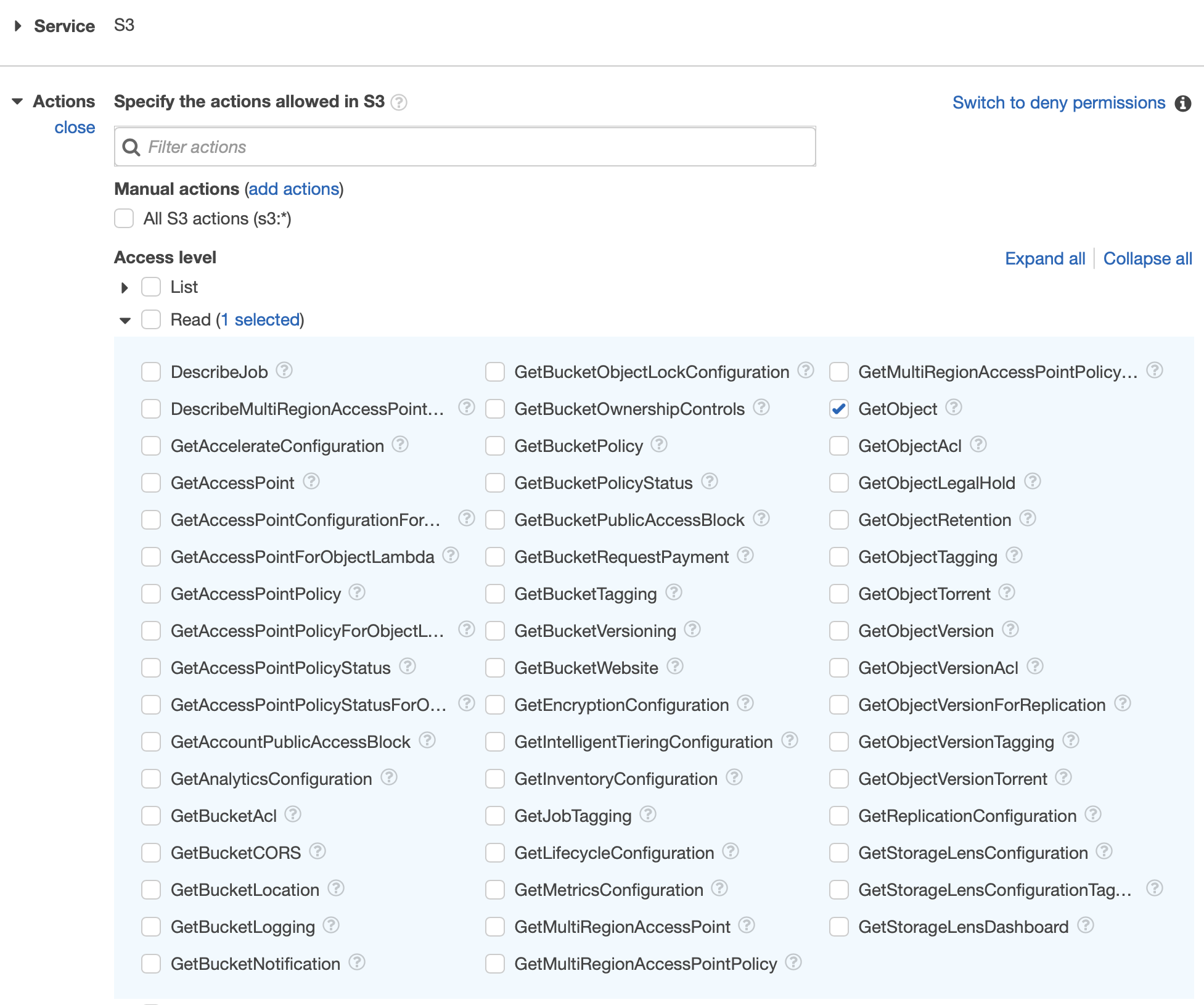
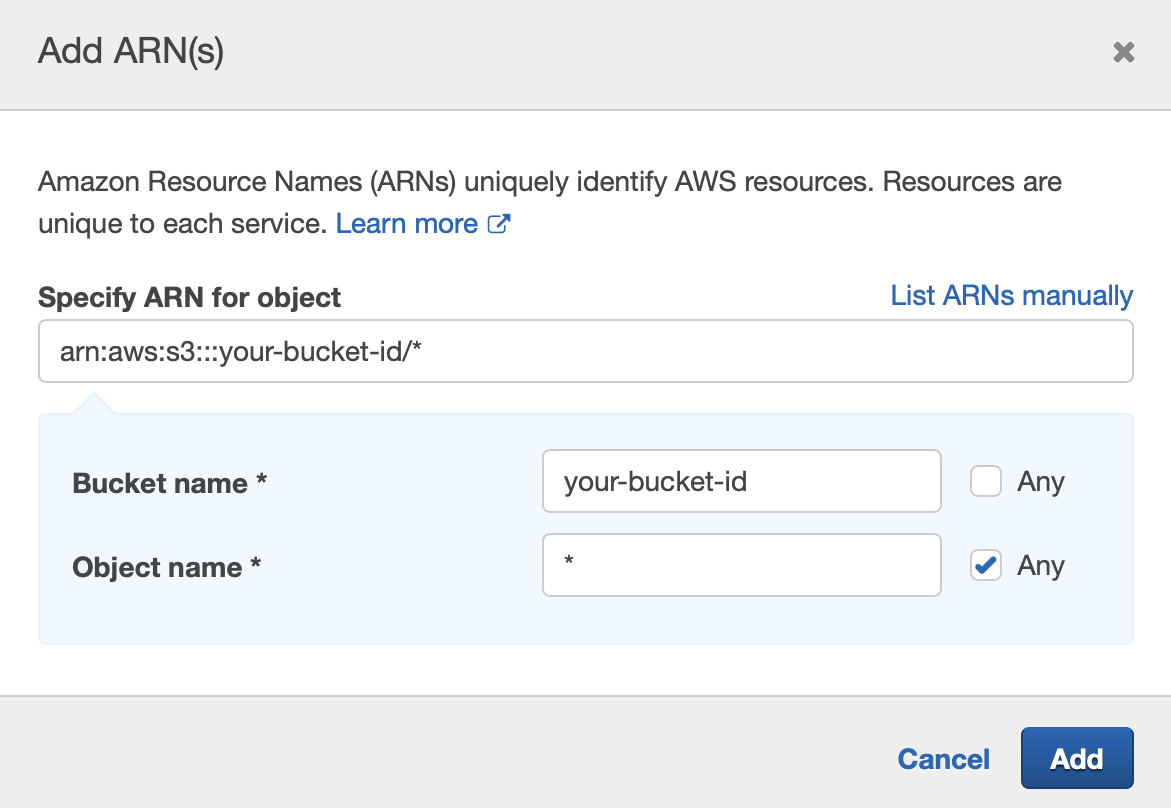
If you manage permissions via IAM policies, attach an S3 policy to the role.
-
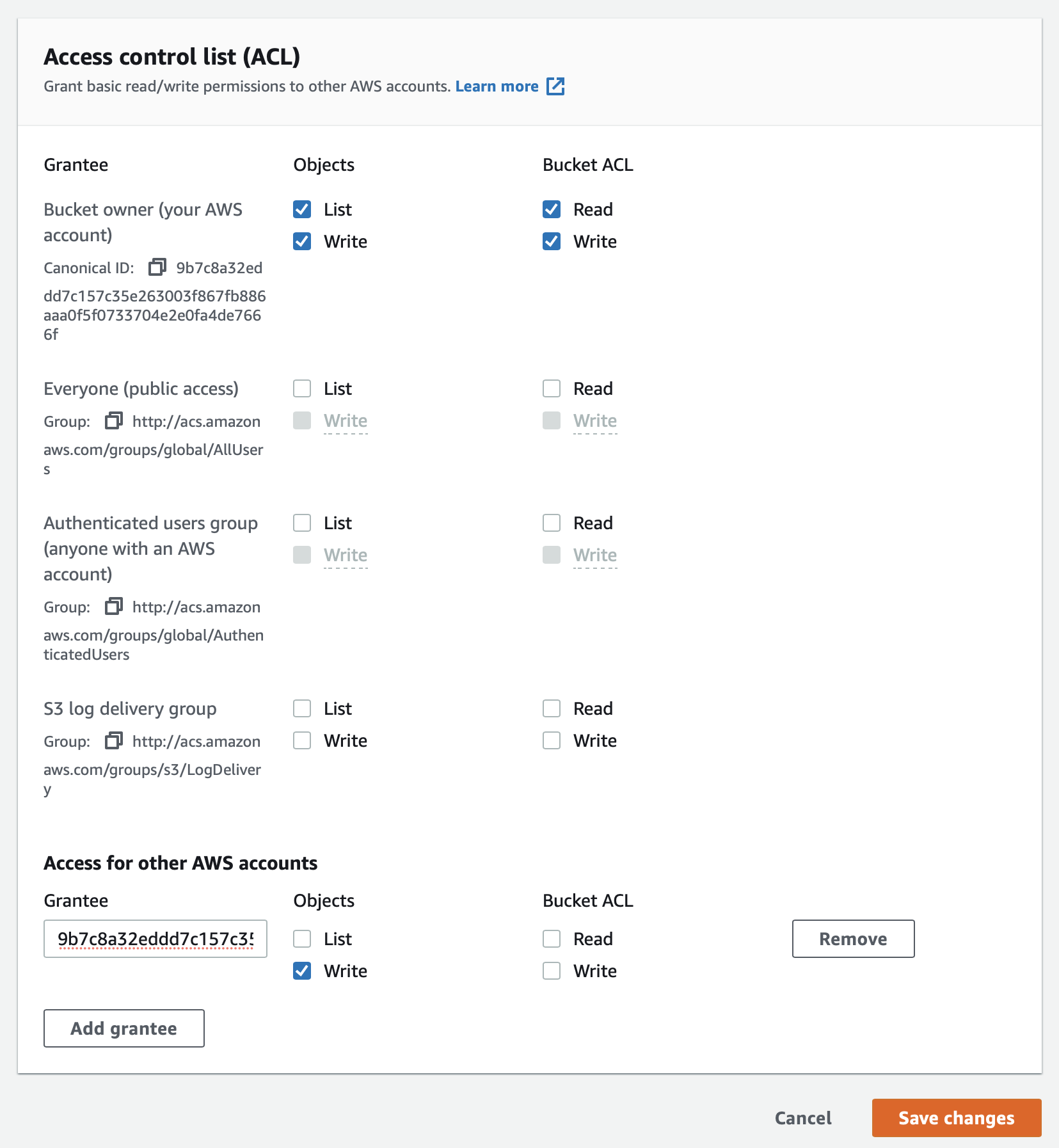
If you rely on ACLs, verify the bucket ACL configuration.
-
Configure the connector’s S3 credentials.
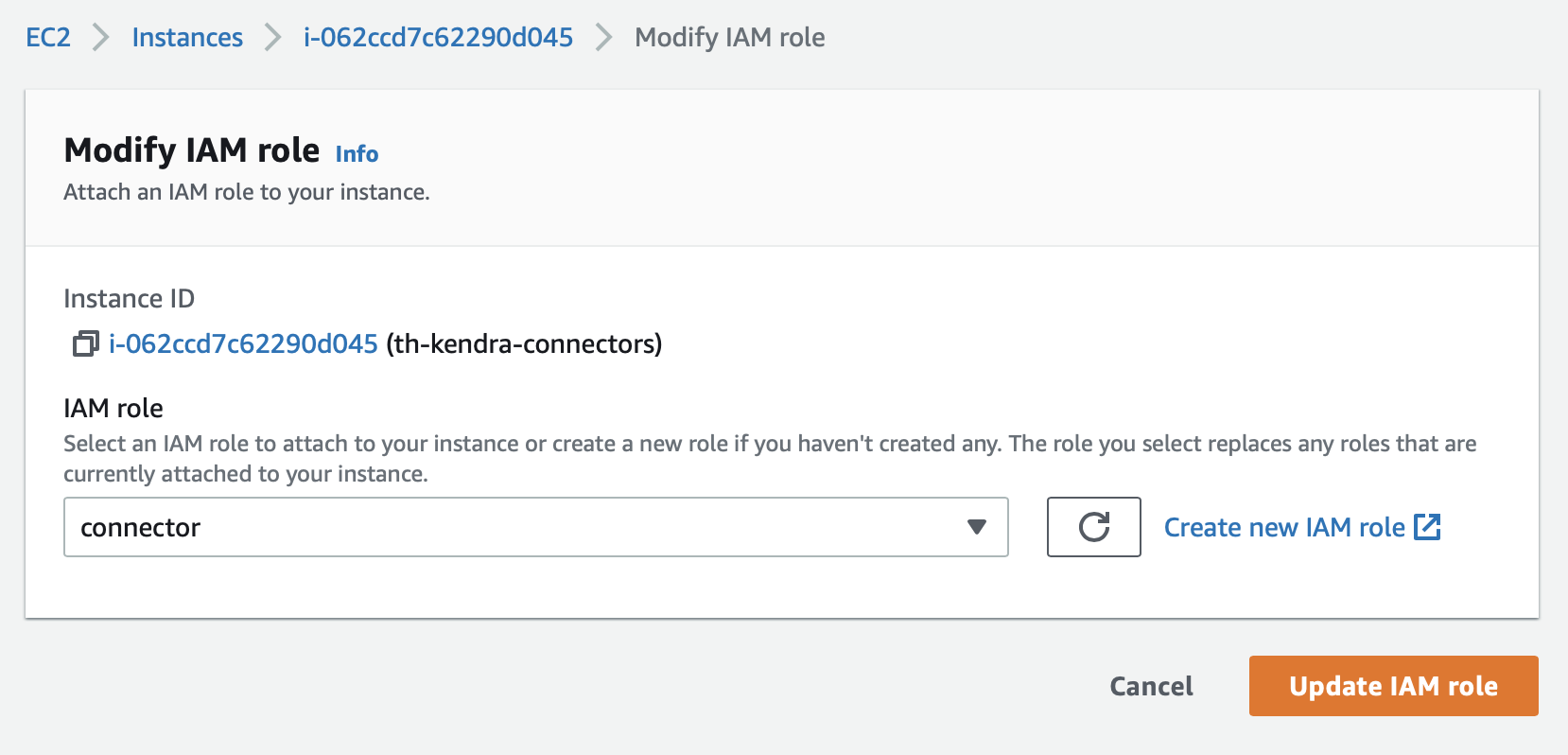
When running on EC2 with system credentials, make sure the instance profile includes S3 permissions.
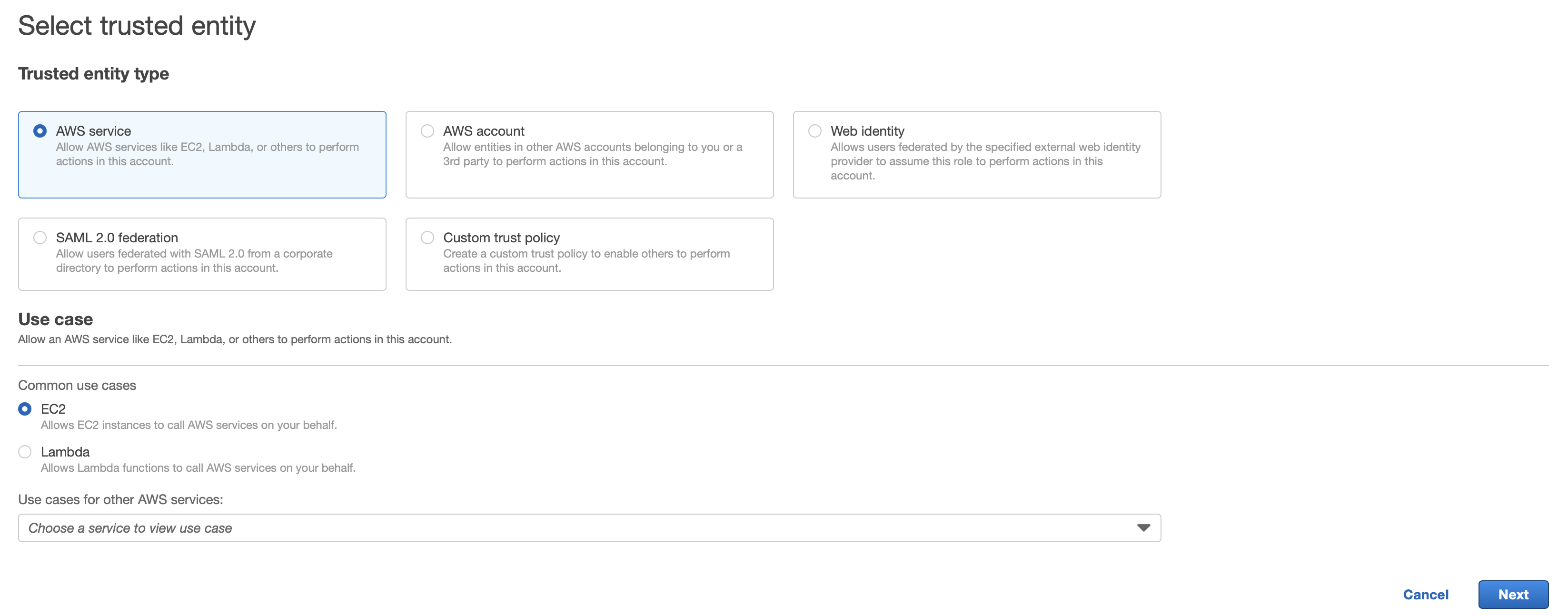
If you use STS to assume a role, enable
Assume Roleand provide the STS settings.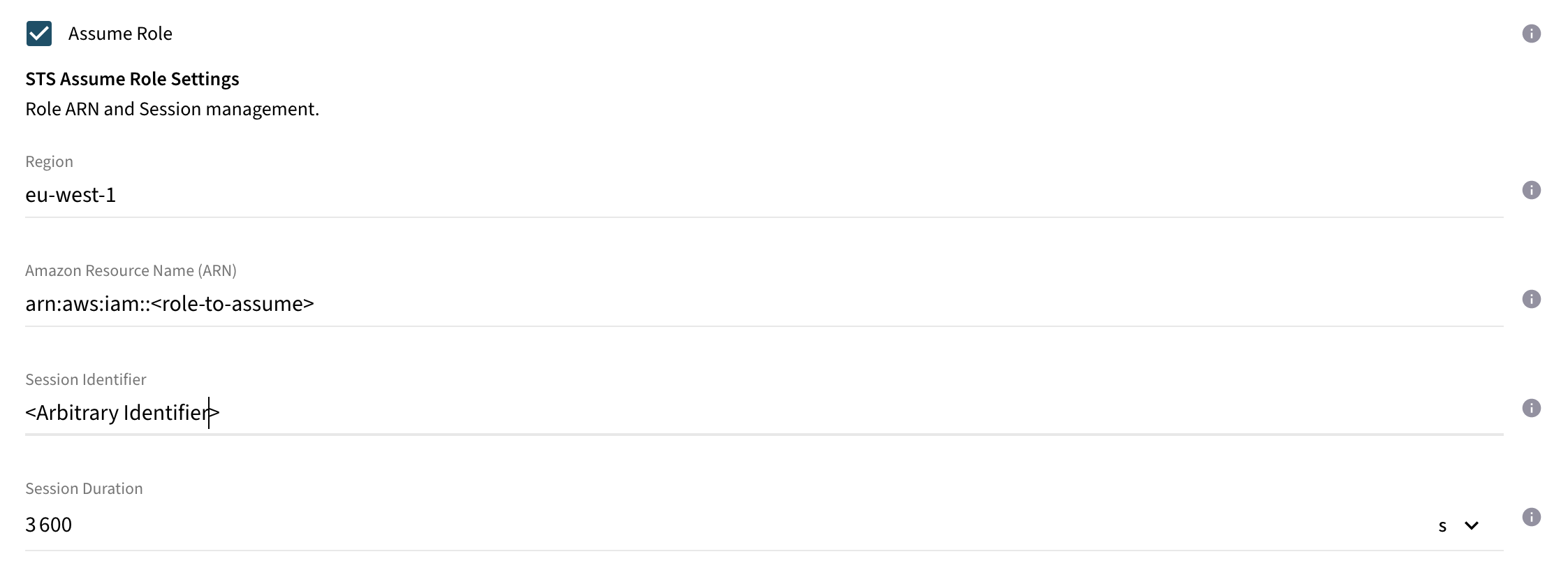
-
Set
Use S3and configureContent Size Limit,Bucket ID, andRegion ID. Documents larger than the limit will be uploaded to S3; smaller ones are sent inline to Kendra.Keep Content Size Limitbelow 5 MB to avoid inline document rejections by Kendra.
Content Batching Configuration (Optional)
Documents are processed in a batch to Kendra. This configuration section includes all batch related properties including the callback behavior.
| Name | Property Key | Description |
|---|---|---|
Max. Size |
|
Max. batch size. All batch put requests will be restricted to this value. The max. allowed value is |
Ignore Processing State |
|
If enabled, the connector submits all documents asynchronously without polling the processing state from Kendra. Documents failed during processing are not recognized by the connector. Unless you would like to monitor the indexing process using Amazon CloudWatch only, it is recommended to disable this option. |
Flush Timeout |
|
Periodic delay between flushing the batch. Within this period, it is guaranteed that the batch is flushed. If the current batch size exceeds the configured max. batch size, only the max. number of items will be flushed in a single cycle. |
Callback Timeout |
|
The Batch API used to index or delete items is asynchronous. The connector is polling the state of the submitted requests to track the state of the items. This property defines the timeout until the connector is expecting the requests to be completed in the asynchronous processing in the search engine. |
HTTP Connection Configuration (Optional)
Configuration options for fine-tuning the Http connection parameters.
| Name | Property Key | Description |
|---|---|---|
Connection Acquire Timeout |
|
Timeout value for acquiring an already established connection from the connector’s connection manager. |
Connection Timeout |
|
Timeout value for establishing a connection to AWS. |
Connection Idle Timeout |
|
Timeout value after an idle connection should be closed. |
Connection Time to Live |
|
Timeout value after the connection should be closed regardless of its current state. |
Max. Number of Connections |
|
Max. number of allowed connections maintained by the connection manager. |
Max. Number of acquired connections |
|
Max. number of requests allowed to wait for a connection. |