Amazon Kendra
Quick Start
Create Index
-
Navigate to
Services → Amazon Kendra → Indexes → Create index -
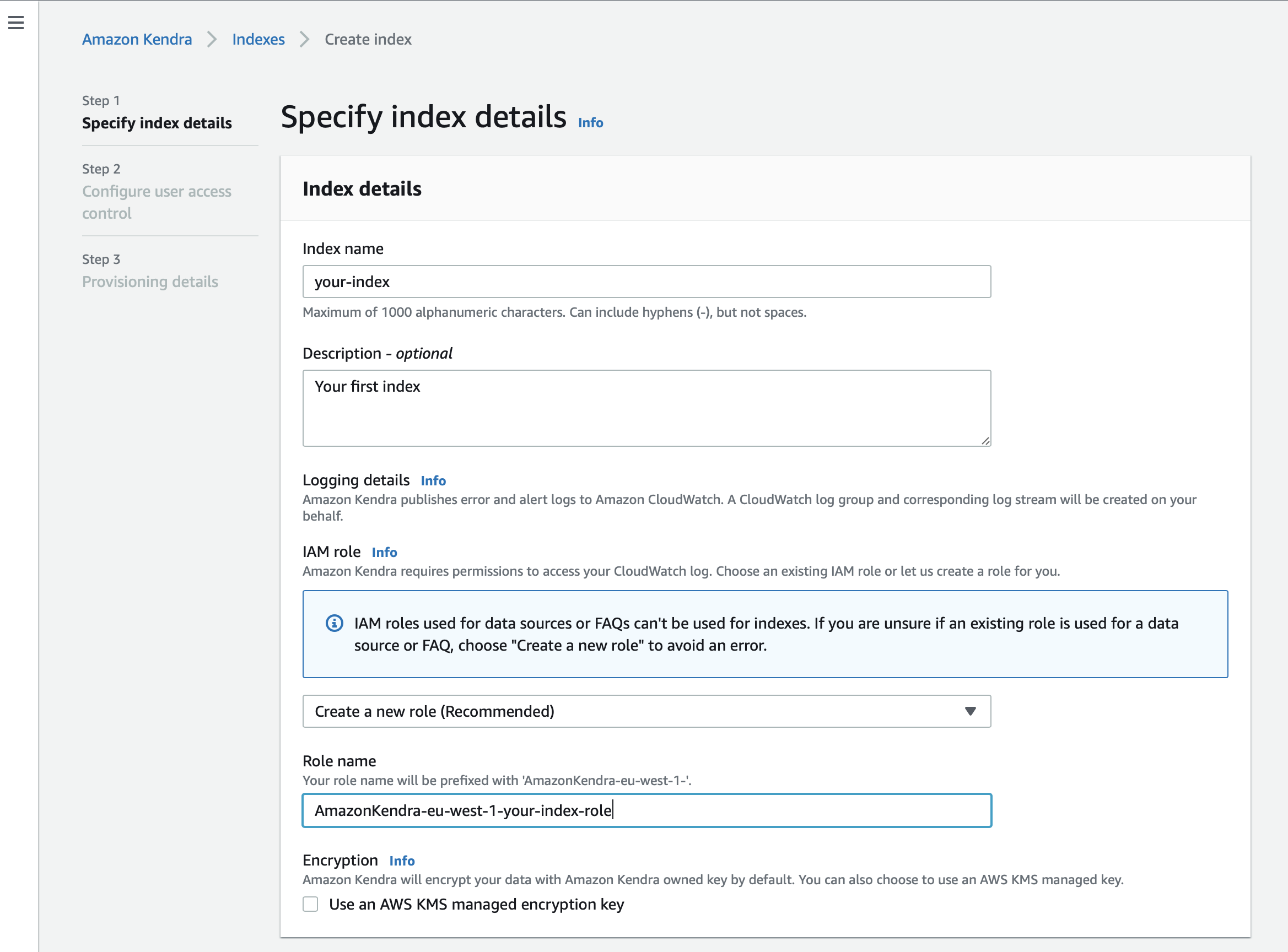
Provide an index name and (optionally) a description
-
Specify your IAM role
When creating a new index, it is recommended to create a new role for each index.
You can use the option to let the role be automatically created during index creation to make sure that all permissions are assigned to the new role.
If you prefer to specify an existing IAM role, make sure your role has the permission to access the CloudWatch assigned:
{
    "Version": "2012-10-17",
    "Statement": [
        {
            "Effect": "Allow",
            "Action": "cloudwatch:PutMetricData",
            "Resource": "*",
            "Condition": {
                "StringEquals": {
                    "cloudwatch:namespace": "Kendra"
                }
            }
        },
        {
            "Effect": "Allow",
            "Action": "logs:DescribeLogGroups",
            "Resource": "*"
        },
        {
            "Effect": "Allow",
            "Action": "logs:CreateLogGroup",
            "Resource": "arn:aws:logs:region:account ID:log-group:/aws/kendra/*"
        },
        {
            "Effect": "Allow",
            "Action": [
                "logs:DescribeLogStreams",
                "logs:CreateLogStream",
                "logs:PutLogEvents"
            ],
            "Resource": "arn:aws:logs:region:account ID:log-group:/aws/kendra/*:log-stream:*"
        }
    ]
}| Use the recommended option "Create a new role" to avoid an error and conflicts. |
-
Access Control Settings → Select
Nofor the optionUse tokens for access control?
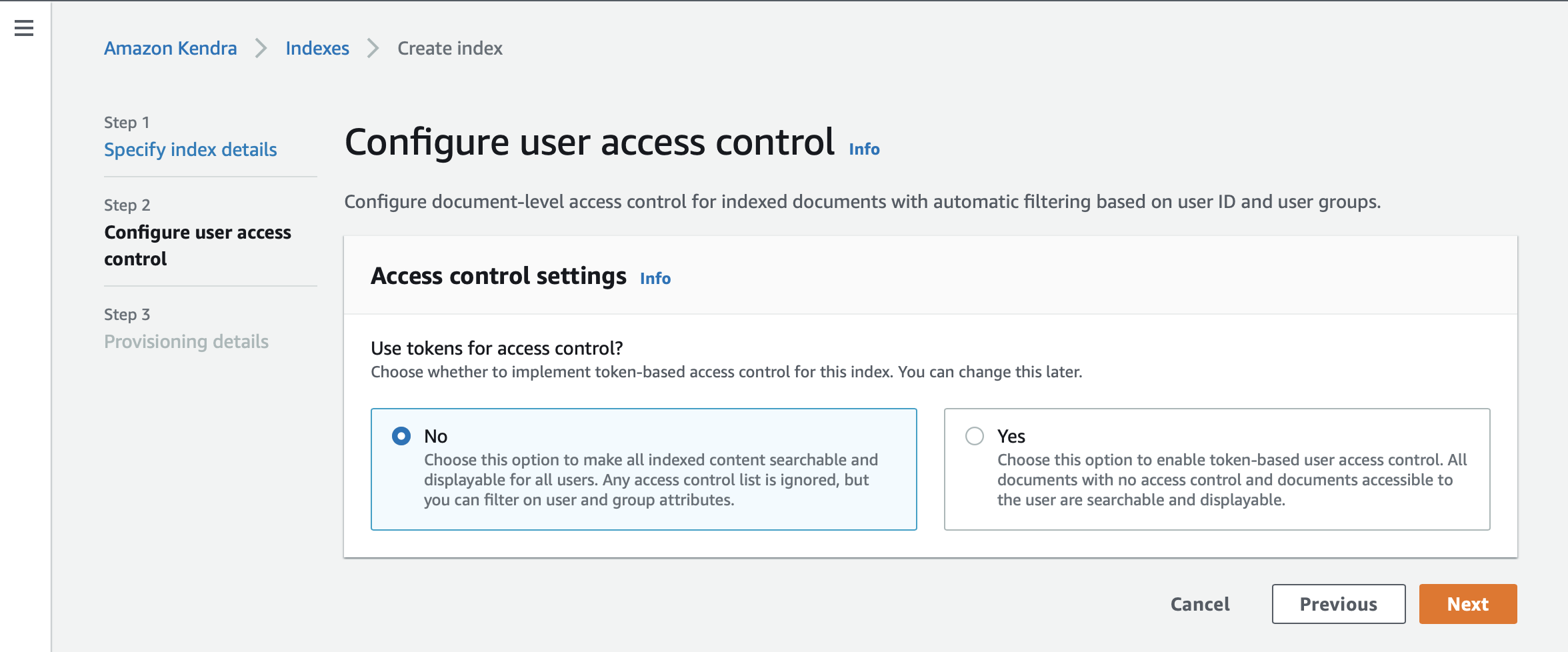
| Raytion Enterprise Connectors are synchronizing third-party content information together with its access control and principal information. The user and group memberships are fully synchronized by the connector with Kendra.In order to deploy Kendra with Secure Search, apply the user attribute filter for the current user and the search result will be automatically restricted to the documents ACL. |
-
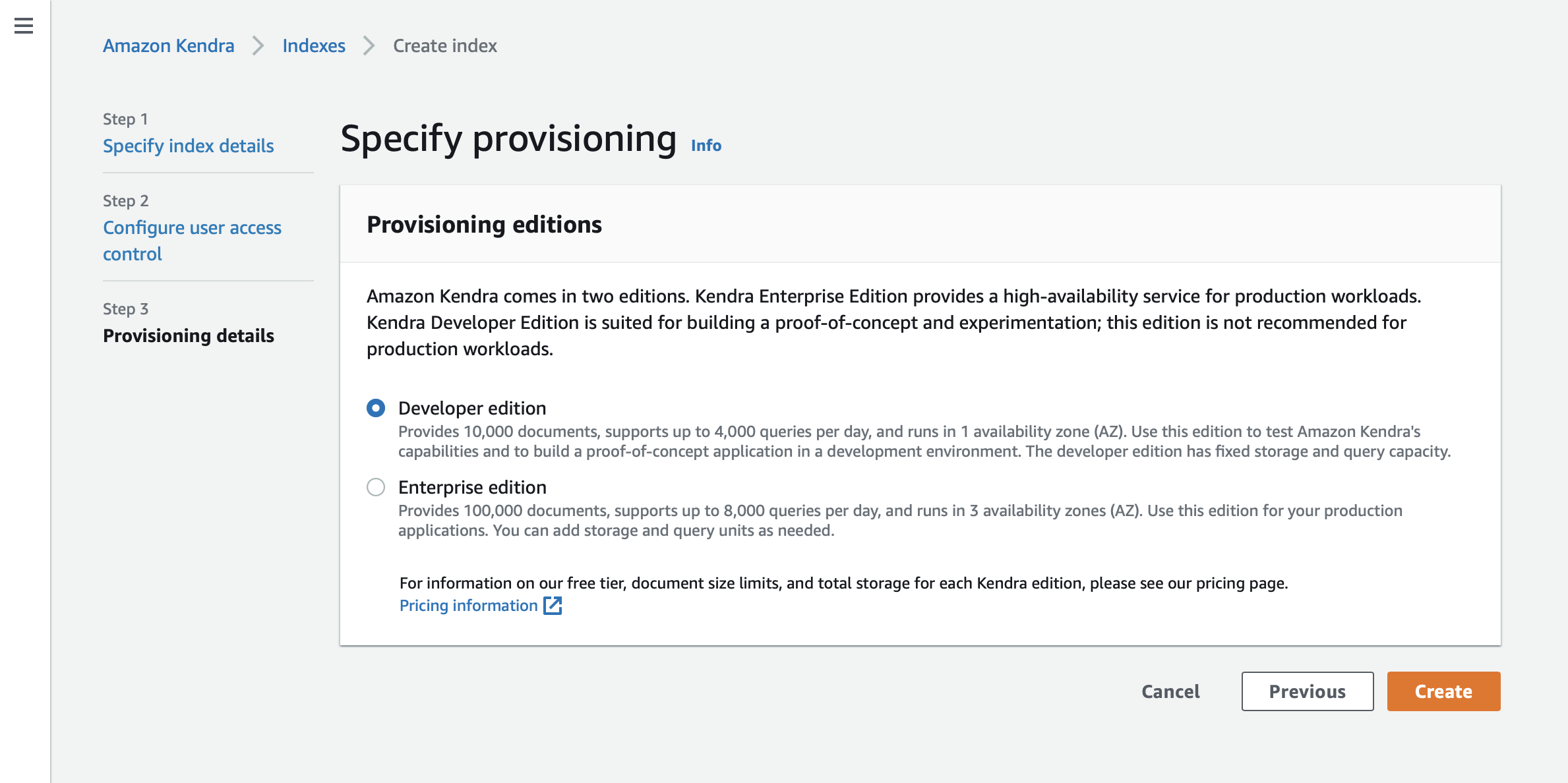
Choose the edition according to your use case.
Create Data Source
Once the index is created, add a custom data source connector to your index. The ID of the registered Data Source will be configured in the connector.All documents and groups synchrnonized by the connector will be linked to the specified data source.
-
Navigate to
Services → Amazon Kendra → Indexes → <your_index> → Data management → Data sources → Add data source -
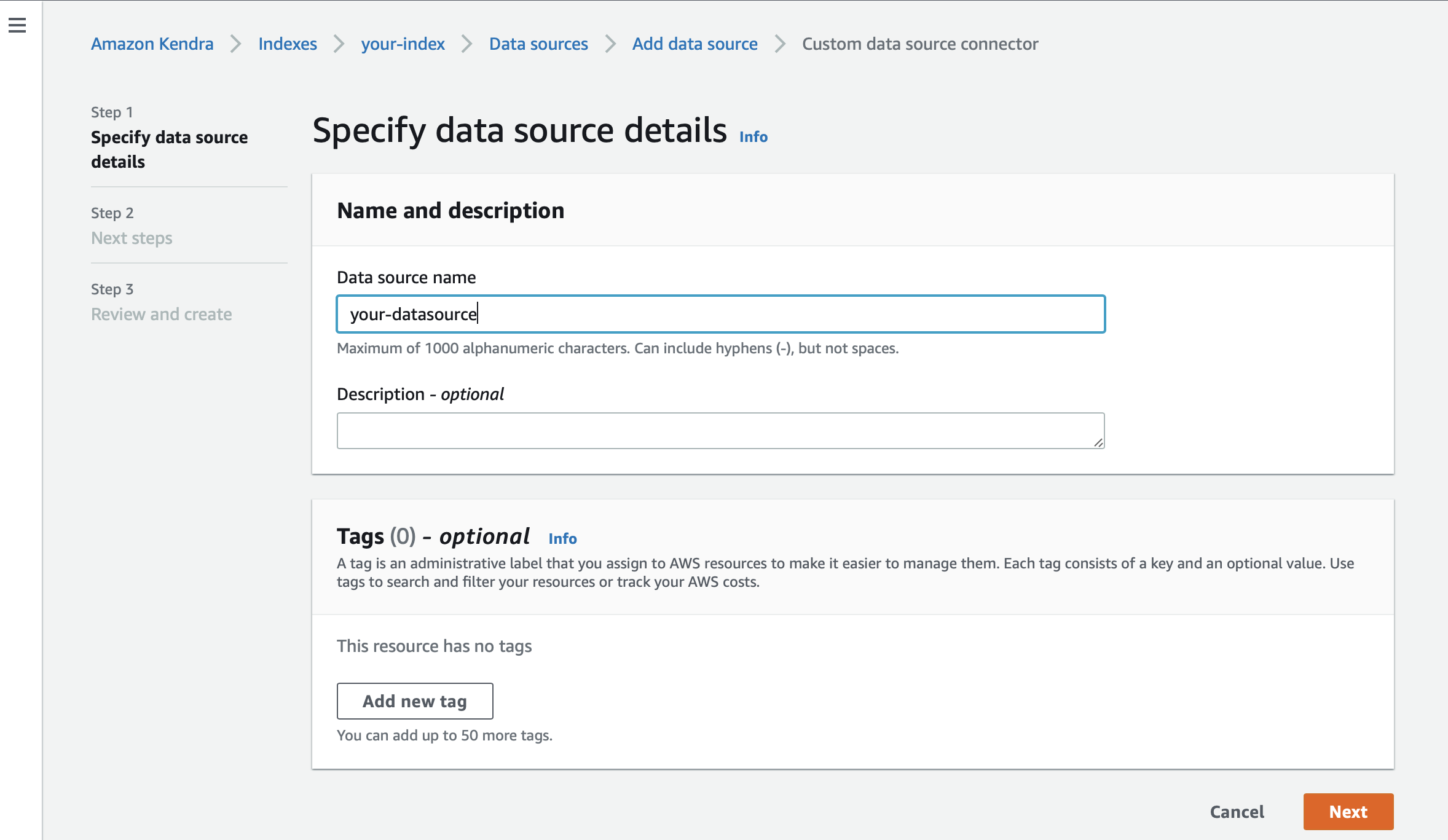
Provide a data source name and (optionally) a description